
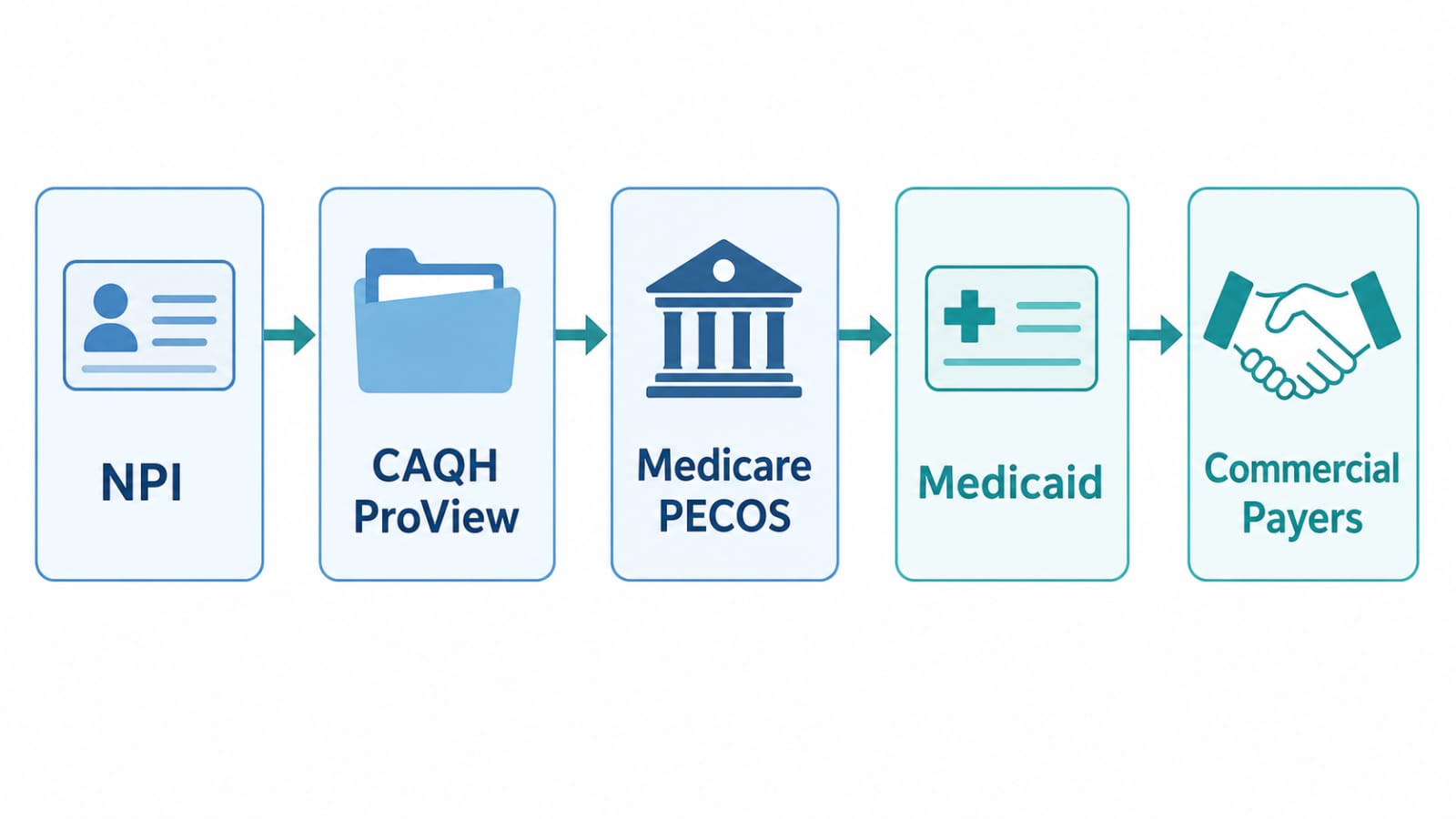
To get credentialed with insurance as a new practice, complete your business setup and National Provider Identifier (NPI), build your CAQH ProView profile, enroll in Medicare through PECOS, complete Medicaid enrollment, then apply to commercial payers, biggest first, and set up your clearinghouse, electronic billing, and payment details before you see your first insured patient.
Credentialing is the part most new owners underestimate. It is not one form. It is a sequence, and the order matters. Apply to a payer before your NPI or CAQH profile is ready, and your application can sit, be returned, or be denied, and the clock starts again.

Credentialing, enrollment, and contracting are three different things
- Credentialing is the payer checking who you are: education, license, training, work history, malpractice history, and identity. It asks, “Is this provider qualified?”
- Enrollment is registering with a payer program so you can be paid. For example, Medicare enrollment through PECOS. It asks, “Is this provider registered in our system?”
- Contracting is the agreement that sets your payment rates, terms, and network status. It asks, “On what terms will we pay this provider?”
The usual order is credentialing first, then enrollment, then contracting. You cannot bill an insurer as an in-network provider until all three are complete for that payer.
The new practice credentialing checklist at a glance
| Step | What to do | What you need ready |
|---|---|---|
| 1 | Business setup and EIN | Legal entity, practice address, tax ID |
| 2 | NPI, Type 1 and Type 2 | NPPES application, provider and practice details |
| 3 | CAQH ProView profile | Work history, license, malpractice, references |
| 4 | Medicare enrollment (PECOS) | CMS-855I for the provider, CMS-855B for the practice |
| 5 | Medicaid enrollment | Medicaid application and supporting documents |
| 6 | Commercial payers, biggest first | CAQH profile, NPI, payer applications |
| 7 | Billing setup and calendar | Clearinghouse, EDI, EFT, ERA, re-attestation dates |
Work through the table in order. Do not skip to Step 6 before Steps 2 and 3 are complete. Most commercial payers pull your data from CAQH, and an incomplete profile is the most common reason applications stall.
Step 1: Set up the business and get an EIN
Form your legal entity, confirm your practice address and phone number, and get an Employer Identification Number (EIN) from the IRS. Use one consistent legal name, address, and phone number everywhere: NPI, CAQH, Medicare, and every payer form. A mismatch as small as a suite number written two different ways can add weeks.
Step 2: Get your NPI, Type 1 for the provider, Type 2 for the practice
Your National Provider Identifier (NPI) is your identity in the US healthcare payment system. Apply through the National Plan and Provider Enumeration System (NPPES), run by the Centers for Medicare & Medicaid Services (CMS). Most new practices need two: Type 1 for the individual provider, and Type 2 for the practice, the billing NPI. Apply for both before payer applications, and check every digit, your legal name spelling, and your taxonomy code.
Step 3: Build and attest your CAQH ProView profile
CAQH ProView is the shared credentialing profile most commercial payers use. Instead of sending the same documents to every payer separately, you complete one detailed profile, attach your documents, and authorize each payer to access it. Gather education, training, and full work history with dates and explanations for any gaps; current license, DEA registration if applicable, and board certification; malpractice insurance details; references; and a current CV. Once complete, attest it to confirm everything is true and current. CAQH requires re-attestation every 120 days, so put that date in your calendar at once.
Step 4: Enroll in Medicare through PECOS
Medicare enrollment runs through PECOS, the Provider Enrollment, Chain, and Ownership System, also run by CMS. For a new practice this usually means two forms: CMS-855I for the individual provider, and CMS-855B for the practice. Submit these only after your NPI and CAQH profile are in place, and check that name, address, NPI, and tax information match exactly across all three systems.
Step 5: Complete Medicaid enrollment
Medicaid enrollment is separate from Medicare, run through the Medicaid program in the area where your practice operates. The documents are similar: license, NPI, CAQH profile, tax information, and practice details. But the application, portal, and timeline are its own. Apply after Medicare enrollment is underway, and keep a separate checklist for it.
Step 6: Apply to commercial payers, biggest first
With your NPI, CAQH profile, and government enrollment in place, approach commercial payers, starting with the ones most of your expected patients use. For each payer, submit the application, authorize access to your CAQH profile, respond to any document request, and wait for the decision and contract. Keep a tracker per payer: date applied, reference number, documents sent, next follow-up. Do not see insured patients as in-network before approval and a signed contract; services before your effective date are generally not payable as in-network services.
Step 7: Set up billing, then keep a re-attestation calendar
Credentialing gets you approved; billing setup gets you paid. Before your first patient visit, confirm your clearinghouse is connected, EDI (electronic data interchange) enrollment is complete for each payer, EFT (electronic funds transfer) is set up for direct deposit, and ERA (electronic remittance advice) is set up so you can see how each claim was paid or denied. Then keep a calendar: CAQH re-attestation every 120 days, license and certification renewals, malpractice renewal, and Medicare revalidation when due.

Documents to gather before you start
Legal entity documents and EIN letter; practice address, phone, and email, written exactly the same way every time; provider CV with complete work history; medical license, DEA registration if applicable, and board certification; malpractice insurance, current and prior coverage; Type 1 and Type 2 NPI numbers; CAQH ProView login and attestation date; Medicare PECOS enrollment confirmation; W-9 and banking details for EFT; professional references.
Common mistakes
Applying out of order is the most common delay. Next come mismatched details, an unattested or incomplete CAQH profile, seeing patients as in-network before the payer’s effective date, and having no tracker, so applications go quiet.
Frequently asked questions
How long does it take for a provider to get credentialed?
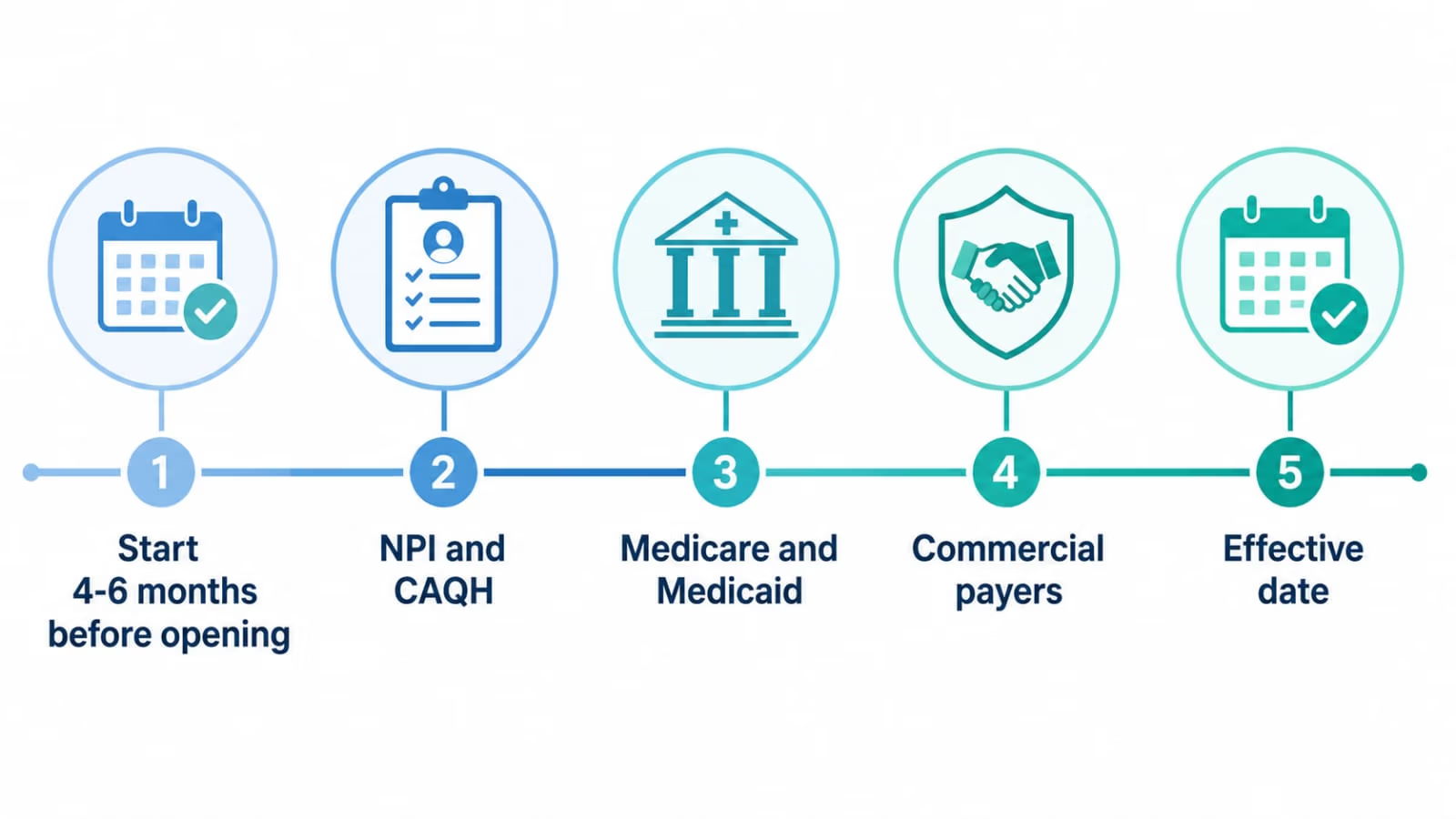
Published credentialing guides commonly report 90 to 150 days for a new provider, with Medicare often reported at 60 to 90 days. The exact time depends on the payer, your documents, and how quickly you respond to information requests. Start four to six months before your planned opening date.
Why does provider credentialing take so long?
Each payer must verify your education, license, training, work history, and malpractice history from primary sources. The most common delays are incomplete CAQH profiles, mismatched names or addresses, missing documents, and slow responses to information requests.
What happens if a provider is not credentialed?
That payer will generally not pay the provider as in-network, and claims may be denied or paid at out-of-network rates, if paid at all. Credentialing should be finished, or well underway with effective dates confirmed, before insured patients are seen as in-network.
Can a non-credentialed provider see patients?
A provider can see patients who pay directly, and in some settings may see patients while credentialing is pending, but that does not mean the payer will pay for those visits as in-network care. Whether a visit is payable depends on the payer, the plan, and the provider’s status on the date of service.
Why would credentialing be denied?
Reasons include an expired or restricted license, incomplete or inconsistent information, unexplained gaps in work history, undisclosed malpractice history, missing references, or failure to meet a payer’s network requirements. The payer will usually explain the reason, and many denials can be fixed by correcting the record or supplying the missing document.
Is credentialing the same as privileges?
No. Credentialing is a payer’s check that a provider is qualified to be in its network. Privileges are a hospital or facility’s permission for a provider to practice or admit patients there. They are related, but granted by different organizations, for different purposes. A new practice may need both, tracked separately.
Do I need CAQH before Medicare?
You do not use CAQH to enroll in Medicare. Medicare enrollment runs through PECOS. But complete your NPI and CAQH profile before or alongside your Medicare application, because the information must match, and commercial payers will use your CAQH profile later. Doing CAQH first means you gather the documents once and reuse them.
Conclusion
It comes down to order and accuracy: business setup and EIN, Type 1 and Type 2 NPI, a complete and attested CAQH ProView profile, Medicare enrollment through PECOS, Medicaid enrollment, commercial payers biggest first, then billing setup with a re-attestation calendar. Start four to six months before opening, keep one master file of documents, track every payer separately, and do not bill as in-network before your effective date.
Credentialing-first is the approach TrueLine Medical Billing Solutions LLC recommends for new practices, because billing only works once credentialing is in place. For a free audit of your credentialing and billing setup, email info@truelinemedicalbilling.com, or call Umair Abdul Rehman at 213-458-8751. Pricing varies by practice, provider, and volume, and is finalised in the first meeting.