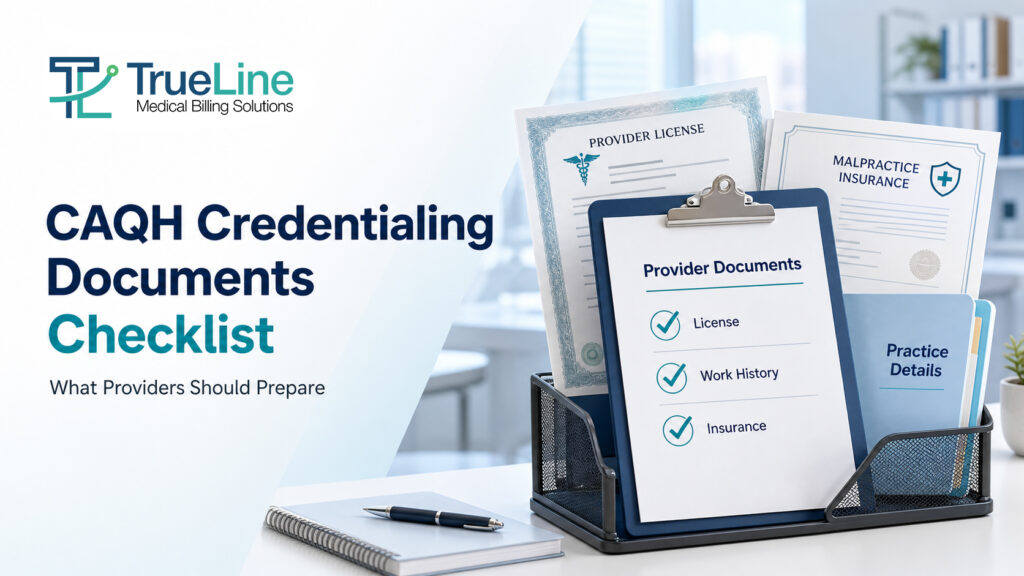
Before completing your CAQH profile, gather your current professional license, work and education history, malpractice coverage information, provider identifiers, and practice details. Depending on your role, state, and payer, you may also need prescribing certificates, signed releases, and additional supporting records. Follow the requirements shown in your account and the payer’s own application instructions.
Getting the paperwork together is often the first practical hurdle in credentialing. A license may be saved in one folder, the latest insurance certificate in another, and an old CV may still show a previous practice address.
This CAQH credentialing documents checklist helps you organize those records before you start. It also separates information you enter into the profile from documents you upload and items a payer may request separately.
What Is the CAQH Provider Data Portal?
The CAQH Provider Data Portal lets healthcare professionals maintain professional and practice information and share it with authorized organizations.
CAQH now operates under the DataSpring brand, although current clinician guidance still uses the CAQH Provider Data Portal name. You may also recognize its earlier name, CAQH ProView.
A completed profile gives participating payers access to your information. It does not, by itself, confirm that you have joined an insurance network. Check the payer’s credentialing, contracting, and enrollment requirements separately.
CAQH Credentialing Documents Checklist
Use this as a preparation checklist, rather than a universal list of mandatory uploads. Requirements differ by provider type, practice state, and payer.
For example, Blue Cross and Blue Shield of Montana identifies licenses, work history, a CV, malpractice information, identifiers, and tax records among helpful application materials.
| Record or information | What to prepare | What to check |
| Professional license | Current license details for each applicable practice state; copies when requested | Provider name, license number, status, and expiration |
| Education and training | Schools, degrees, graduation dates, and applicable postgraduate training | Dates and institution names against your records |
| Work history and CV | Current CV and chronological employment history | Previous locations, date ranges, and explanations requested for gaps |
| Malpractice coverage | Current professional liability face sheet or certificate | Named insured, carrier, coverage limits, and effective dates |
| Provider identifiers | Individual NPI and applicable organizational identifiers | Correct association with the provider or practice |
| Practice information | Locations, contact details, specialty, and relevant affiliations | Current addresses and accurate practice associations |
| Prescribing credentials | DEA and state controlled-substance records, when applicable | Whether they apply to your role and practice locations |
| Signed releases | Applicable authorization, attestation, and release forms | Correct form, signature, and date |
| Additional payer records | W-9, explanations, or other documents requested by the plan | The payer’s checklist and submission route |
1. Professional License and Prescribing Credentials
Start with your current professional license. If you practice in more than one state, organize the records by state so the correct document is easy to find.
Prescribing credentials are conditional. Do not assume that every provider needs a DEA registration or state controlled-substance certificate. Prepare them where applicable and follow the instructions for your profession and location.
2. Education, Training, and Work History
Review your CV before using it to complete the application. Check whether it includes your current position and accurate dates for education, training, and employment.
An explanation of a work-history gap should be factual. If a payer asks about a period away from practice, answer that question directly rather than changing dates to make the history appear continuous.
3. Malpractice Insurance
Use the current coverage document. An older certificate may look familiar but no longer represent the policy in force.
As one payer-specific example, LifeWise of Washington asks for liability coverage evidence showing limits and coverage dates. It also warns that certain documents approaching expiration can delay its application process. Its requirements should not be treated as the rules for every payer.
4. NPI, Tax Records, and Practice Details
Keep provider and practice identifiers clearly labeled. CMS distinguishes Type 1 NPIs for individuals from Type 2 NPIs for organizations. An NPI does not establish credentialing or insurance enrollment.
When a payer requests a W-9, follow the IRS instructions for the name and taxpayer identification number. A practice’s trading name is not necessarily the correct name for every tax field.
5. Disclosures and Supporting Explanations
Read disclosure questions carefully and provide the explanation and records requested for your answer.
LifeWise, for example, requests a detailed written explanation for affirmative attestation responses. Other payers may have their own requirements.
What Belongs in CAQH, and What Goes to the Payer?
One source of confusion is treating every credentialing document as a CAQH upload. Use three separate checks:
| Part of the process | Your task |
| Profile information | Enter the professional and practice details requested in your account |
| Supporting documents | Upload the applicable records and releases identified in the portal |
| Payer application | Complete any separate application, forms, and requests required by the plan |
For example, Blue Cross Blue Shield of Michigan requires both its enrollment form and a CAQH profile. Its guidance also tells providers to authorize access to their information. Completing the profile alone does not replace those steps.
How to Organize Your Documents Before Uploading
Keep a Working Document Register
Create one controlled folder for each provider. Within it, separate licenses, education, insurance, practice records, and payer correspondence. Keep access limited to the people handling the application.
A simple register can help you see what is ready:
| Document | Current copy available? | Expiration or review date | Next action |
| State license | Yes or no | Enter date | Obtain current copy if needed |
| Malpractice certificate | Yes or no | Enter date | Check provider name and coverage |
| CV | Yes or no | Enter review date | Update current role and dates |
| Applicable release | Yes or no | Enter signature date | Check the required form |
Use clear filenames, such as provider-lastname-state-license.pdf. Keep full tax identifiers out of filenames.
Check Readability and Document Status
Open each scan before uploading it. Look for missing pages, cropped text, or an unreadable signature. Follow the current file requirements in your account.
The DataSpring provider guide identifies PDF, TIF, JPG, and JPEG as supported document formats and instructs providers to upload documents separately. It also distinguishes received documents from approved documents.
Check the status after submission instead of assuming an upload has been accepted.
Final Checks Before the Payer Reviews Your Information
Before you consider the preparation complete:
- Review the account for missing fields and outstanding document requests.
- Compare names, identifiers, and practice associations with the relevant source records.
- Complete the applicable attestation and signed release requirements.
- Confirm that the intended payer is authorized to access the profile.
- Check the payer’s separate application requirements and keep its reference number.
Keep a short record of what you submitted, when, and what remains outstanding. This gives you something specific to refer to when following up.
Keep the Profile Current After Submission
Document preparation continues when a license renews, insurance changes, or practice details change.
The provider guide describes re-attestation every 120 days, with a 180-day interval for Illinois providers. Payers may impose separate provider-data requirements, so use the reminders in your account and the plans’ instructions rather than relying on one calendar rule for every task.
For a broader overview, read our guide to getting credentialed with insurance as a new practice.
Need Help Preparing Your Credentialing Application?
TrueLine Medical Billing helps practices organize provider information, prepare credentialing applications, and follow up with payers.
If you need support identifying what is missing from your file, contact our team to discuss your credentialing needs.
Frequently Asked Questions
What documents do I need for CAQH credentialing?
Prepare your license, education and work history, malpractice coverage, identifiers, and practice information. Additional records can include prescribing credentials and signed releases. The required uploads depend on your account, provider type, state, and payer.
Is a CV enough to complete my CAQH profile?
No. A CV can help you assemble work and education history, but you still need to complete the requested profile fields, supporting documents, and applicable attestation steps.
Does every provider need a DEA certificate?
No. Prepare a DEA certificate when applicable to your professional role and the relevant credentialing requirements. Do not assume that nonprescribing providers need the same records as prescribing clinicians.
Does completing CAQH mean I am credentialed with insurance companies?
No. The portal holds and shares information. Each payer has its own participation process and may require a separate application, review, agreement, and confirmed effective date.
How often should I update my CAQH information?
Update changed information promptly and follow your account’s attestation reminders. The provider guide describes a 120-day cycle, or 180 days for Illinois providers. Separate payer requirements can also apply.
Is the CAQH Provider Data Portal free for providers?
Yes. DataSpring states that providers can enter, maintain, and share their professional and practice information through the portal without a provider usage fee. Fees charged by a credentialing service are separate.
Can I use CAQH to enroll in Medicare?
CAQH does not replace Medicare enrollment. CMS identifies Medicare enrollment as a separate process, and an NPI alone does not complete it.